WorkPulse Solutions

Time, activity and usage in one place

See the hours. See the work. See the software.

WorkPulse records time from Windows desktop, mobile and the web. Managers can review screenshots, app and website usage, tasks, payroll and reports without leaving the workspace.

Windows Desktop 5.1 App & website usage Policies, payroll and reports
WorkPulse dashboard showing hours for today, this week and the last 30 days

The platform

Built for how WorkPulse actually runs today.

From a timer on the desktop to a manager looking at software usage, every part of the product is already in the workspace.

Windows desktop tracking

Desktop 5.1 captures work sessions, activity, screenshots and the focused website host — without a browser plugin.

Apps and websites

See which programs and sites people used, with total time and share of time. Classify them as core, non-core or unproductive.

Tracking policies

Set company break, idle and work-hour rules, then add an override only when one person needs different settings.

Projects and tasks

Connect hours to projects, run task boards, and keep budgets and responsibilities in one view.

Payroll and pay

Prepare pay runs from tracked time, with wages and optional custom work-hour limits.

Reports that arrive

Review time worked, team totals and scheduled email reports. Dashboards show today’s hours, usage and most-active people.

Inside the workspace

The screens managers use every day.

Dashboard hours, software usage, tracking policies, timesheets and manual time — these are live pages from WorkPulse, not mock-ups.

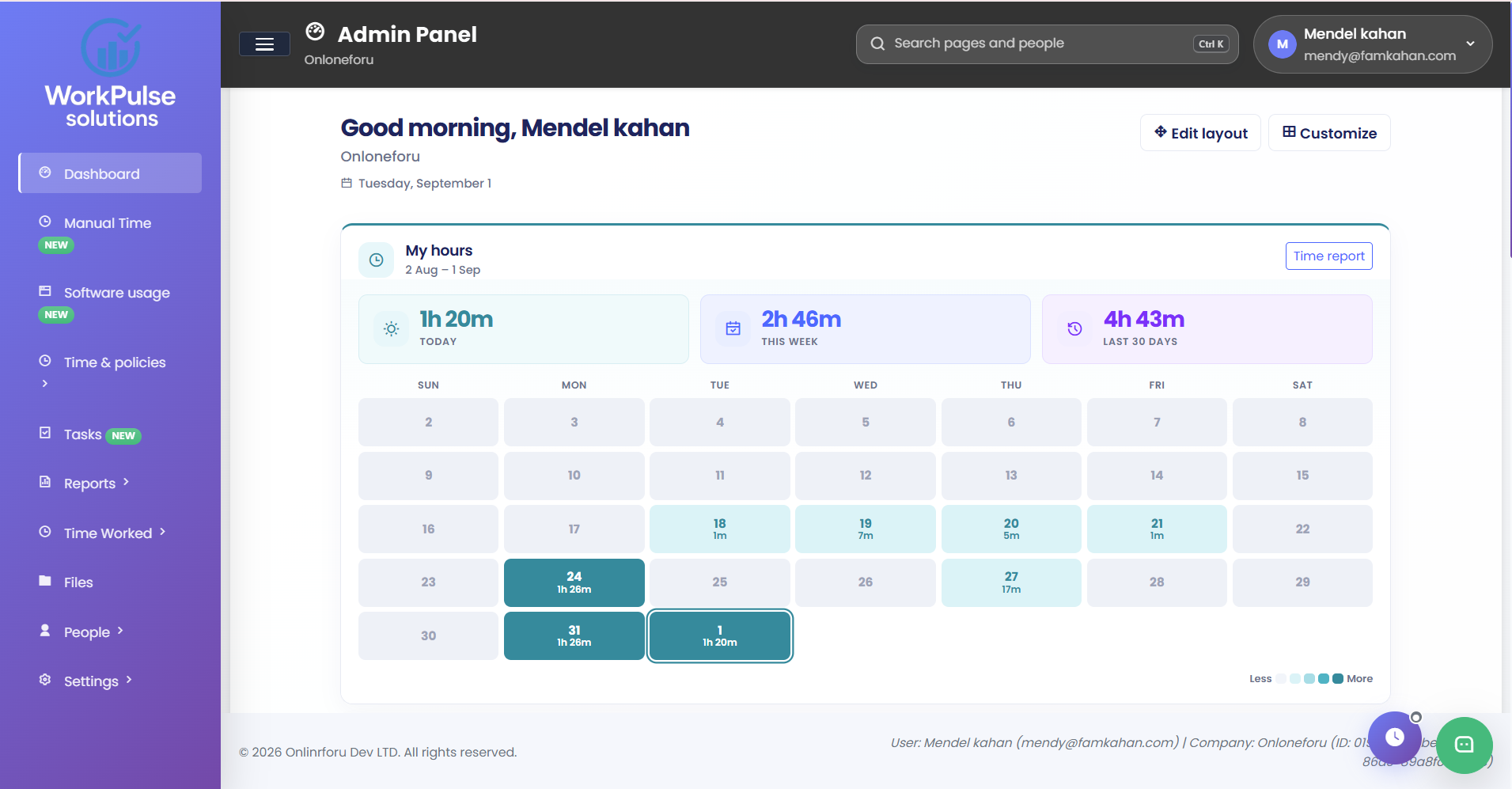
WorkPulse dashboard with a calendar of hours and today, this week and last 30 days totals

Dashboard

Today’s hours, the week and an arrangeable layout for apps, people and activity.

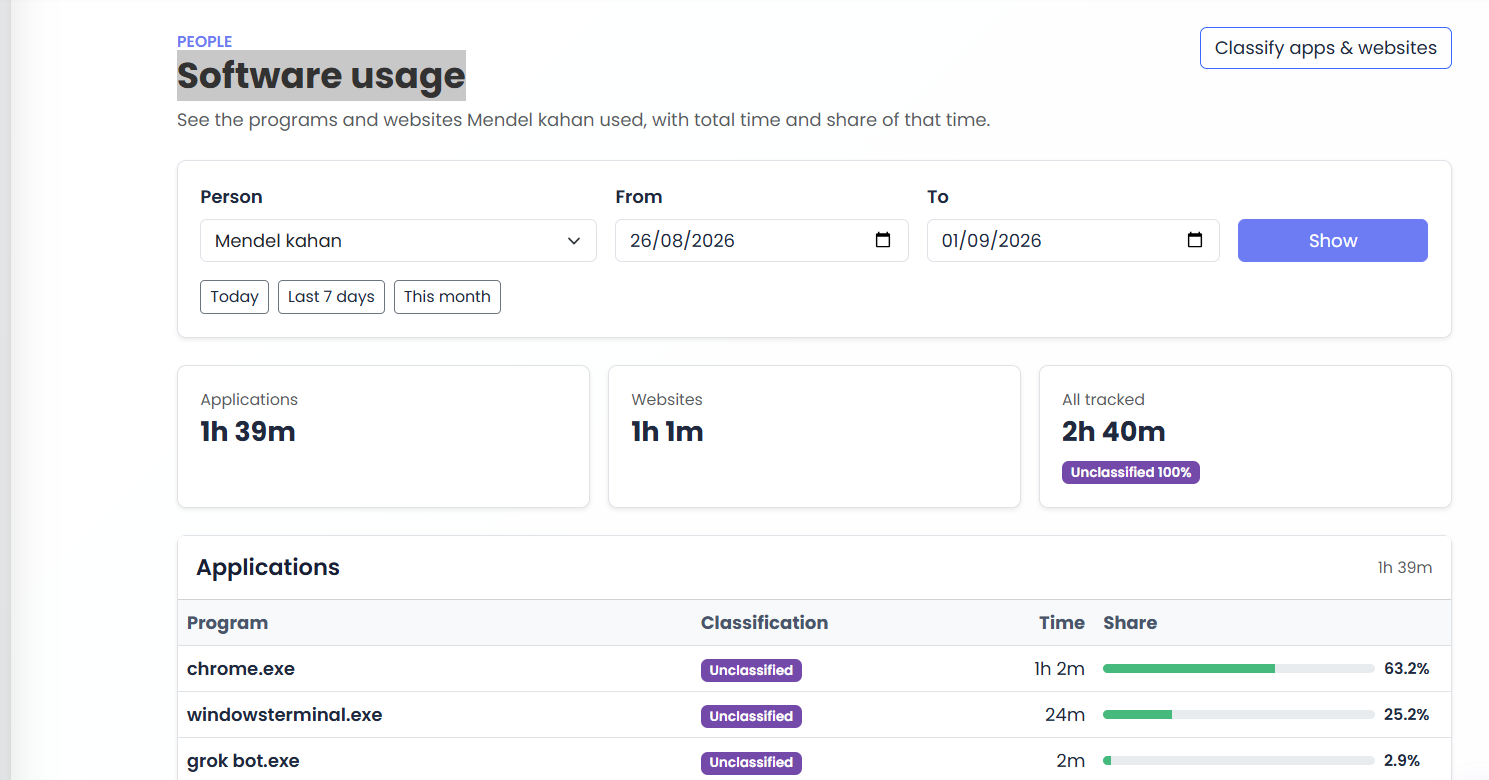
Software usage page showing application and website time with share of total

Software usage

Programs and websites with total time, percent, and room to classify them.

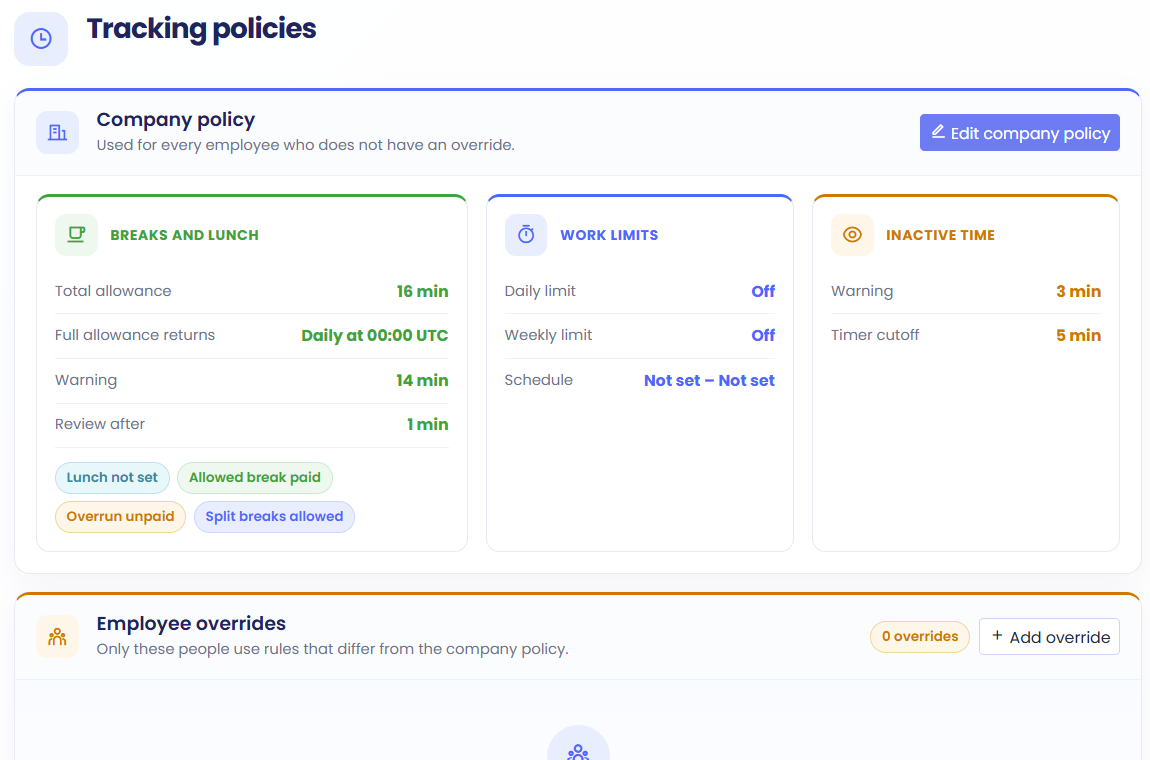
Tracking policies page with company break, work limit and inactive time rules

Tracking policies

Company default rules, with an override only when someone needs different settings.

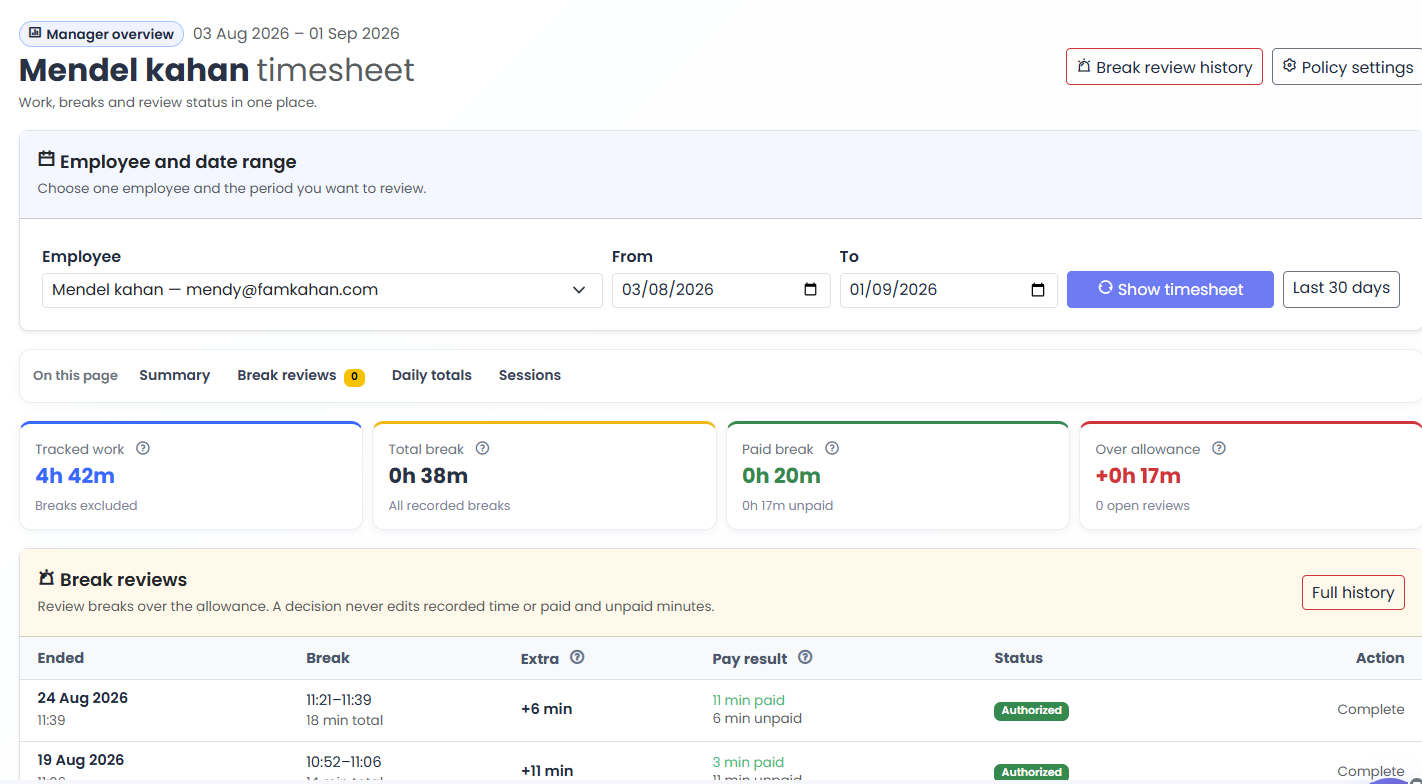
Employee timesheet with tracked work, breaks and break review status

Employee timesheet

Work, breaks and review status for one person over the dates you choose.

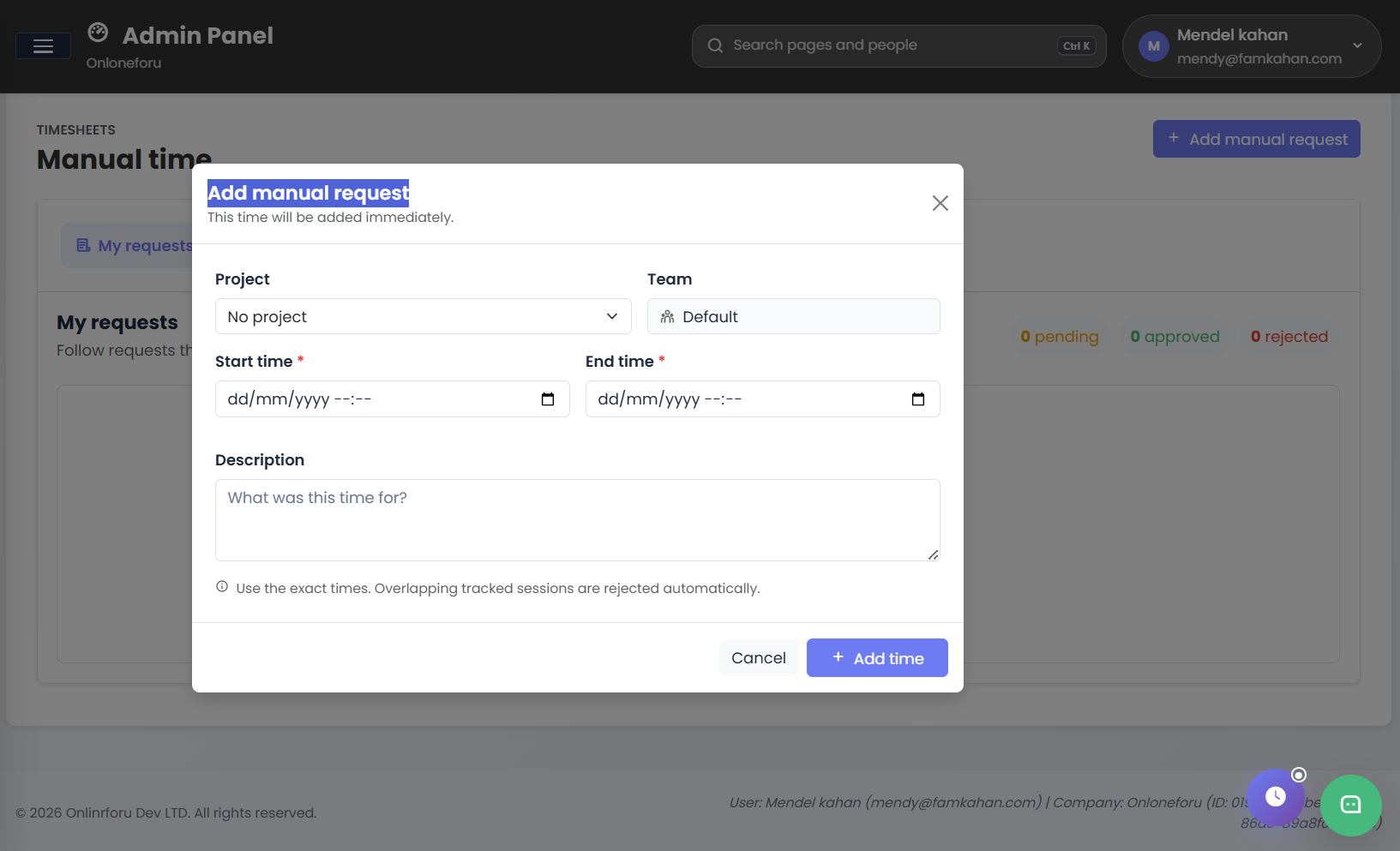
Add manual time request form with project, team, start time and end time

Manual time

Add hours that were not captured by the tracker, then follow the request through approval.

How teams use it

Capture on the device. Review in the workspace.

Desktop 5.1

Windows tracker with activity, screenshots and focused-tab URLs, plus Visual C++ runtime in the installer.

Mobile and TimeStation

Track from Android, or clock in at a kiosk, with the same company workspace.

Roles and devices

Control who can view captures, classify apps, or manage payroll. Revoke a desktop if needed.

A dashboard you can arrange

Pin hours, apps & URLs, and most-active people, then drag the layout you want to keep.

For managers

Answer the questions that come up every day.

Who is tracking, which apps they used, whether a break ran long, and how the week looks on payroll — without exporting a spreadsheet first.

  • Time Worked with captures, screenshots and website hosts
  • Software usage by person, with totals and percent
  • Break reviews, tracking policies and scheduled email reports
View plans and capabilities

Put the live picture of work in front of your team.

Create a workspace, or ask us how Desktop 5.1, usage and payroll fit your company.